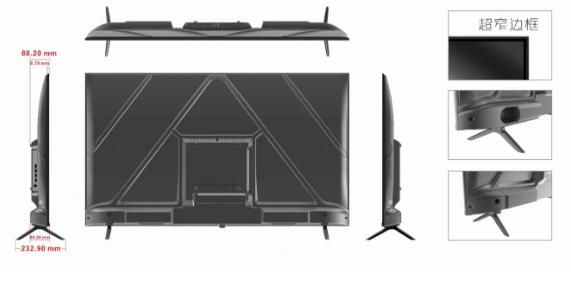
I. Overall Dimension Display
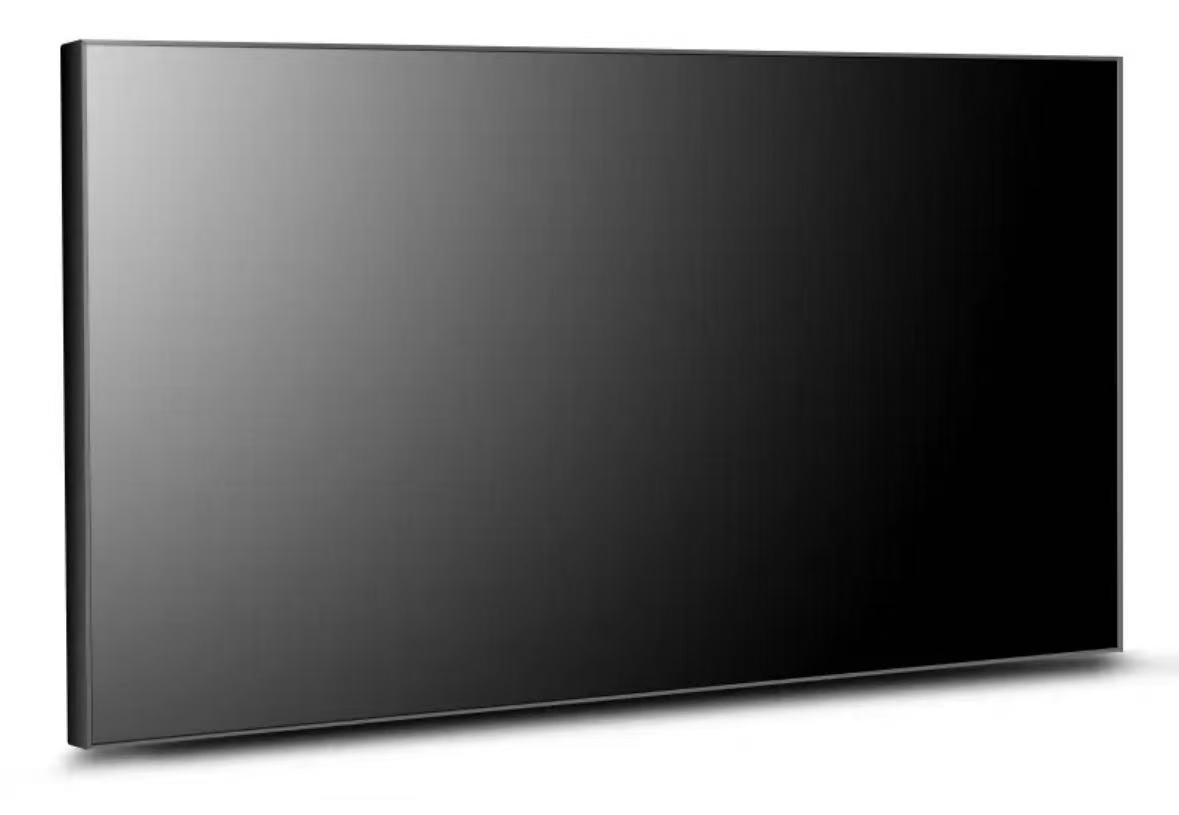
Ultra-narrow Bezel
(Note: The dimension "1226.20 7" in the original document is incomplete; the complete overall dimensions are provided in the "Overall Machine Characteristics" table below.)
II. Detailed Product Parameters
1. Main Parameters
| Product Type |
Touch All-in-One PC (Android System) |
| Display Size |
55 inches |
| Display Type |
LED LCD Screen |
| Physical Resolution |
4K |
| Display Color |
8bit, 16.7M |
| Refresh Rate |
60Hz |
| Brightness |
280cd/m² |
| Contrast Ratio |
5000:1 |
| Viewing Angle (Degree) |
Wide Viewing Angle |
| Backlight Lifespan |
30,000 hours |
2. Overall Machine Characteristics
| Housing & Appearance |
Plastic Housing |
| Overall Dimensions |
1226.2mm * 770mm * 88.2mm |
| Operating Voltage |
220V |
| Maximum Power Consumption |
≤ 60W |
| Standby Power Consumption |
≤ 2.5W |
| Installation Method |
Wall-mounted |
| Speaker Specification |
10W/8Ω × 2 speakers (optional) |
3. Operating Environment
| Environmental Parameters |
Working Place |
Indoor |
| Operating Temperature |
0°C ~ +50°C |
|
| Operating Humidity |
10% - 90% (non-condensing) |
|
| Storage Temperature |
-10°C - +60°C |
|
| Storage Humidity |
10% - 90% (non-condensing) |
|
4. Android System Solution (RK3568A)
Main Functional Parameters
| Specifications |
Details |
| Board Size |
146mm * 100mm |
| CPU |
RK3568, Quad-core, maximum frequency up to 2.0GHz |
| Operating System |
Android 11.0 |
| Memory/Storage |
Standard 2GB (4GB optional) / Standard 16GB (32GB/64GB optional) |
| Built-in ROM |
2KB EEPROM (not included by default, optional) |
| HDMI Output |
1 channel, standard Type-A female port, maximum support for 4Kx2K@60Hz resolution |
| LVDS Output |
1 channel, supports single/double 6-8bit, directly driving LCD screens at 50/60Hz; maximum support for 1920*1080 resolution for LVDS screens |
| eDP Output |
1 channel, directly driving eDP interface LCD screens of various resolutions; tested to support 19201080 resolution, and RK official test shows maximum support for 26501600 resolution |
| Audio Input/Output |
Speaker output (supports left and right channel output, default 6W, configurable to 10W with resistor modification), 1*MIC IN |
| Headphone Output |
Supports one 3/4-pole headphone connection |
| USB Interface |
5 USB HOST ports |
| Serial Ports |
2 RS232 ports (2 ports configurable to TTL), 2 TTL ports, 1 RS485 port |
| CAN |
1 channel |
| I2C Interface |
1 channel, compatible with I2C interface TP or peripherals |
| Network Support |
1. Supports 10/100/1000M adaptive Ethernet 2. Built-in Wi-Fi and Bluetooth 3. Built-in MINI PCIE interface, supporting 4G Internet access (analog or digital calls not supported) |
| Storage Expansion |
Supports U disk and TF card expansion |
| RTC Real-Time Clock |
Supports low power consumption |
| System Upgrade |
Supports local USB upgrade, wireless upgrade, and computer-based upgrade |
5. Standard Random Accessories (subject to actual configuration)
| Name |
Quantity |
| Warranty Card |
1 piece |
| Qualification Certificate |
1 piece |
| Bluetooth Mouse |
1 piece |
III. Notes
- Before using this machine, please read and understand all operating instructions.
- Please keep the user manual properly for future reference.
- Please strictly follow the warning instructions in this manual.
- Operation must comply with all usage instructions.
- Do not use accessories not recommended by the manufacturer; improper use of accessories may cause accidental malfunctions.
- Before connecting the AC power cord to the power outlet, please check if the monitor's voltage requirement matches the local power supply conditions. If you are unsure about the power supply type, please contact the dealer or local power department.
- Do not press or wrap the power cord. A damaged power cord may cause electric shock or fire.
- Do not attempt to repair this machine by yourself. Due to high-voltage devices and other easily damaged components inside the machine, it may cause harm to the human body or damage to the monitor itself. Please ensure that professional maintenance personnel perform repairs.
- Do not touch control components not mentioned in the user manual. Improper adjustment of control components not mentioned in the user manual may damage the machine and increase the maintenance workload of professional technicians.
- When replacing accessories for this machine, please confirm with maintenance personnel to use accessories specified by the manufacturer or with performance equivalent to the original parts. Improper use of accessories may cause fire, electric shock, monitor damage and other hazards.
- If this machine is to be wall-mounted or ceiling-mounted, please follow the installation method recommended by the manufacturer.
- When not using this machine for a long time, please unplug the AC power plug.
- The LCD panel of this machine is made of sensitive materials; do not strike the LCD screen with any objects. If the machine falls from a height or is hit, the LCD panel may crack. Please stop using the machine immediately in such cases.
- The interval between each power on/off operation shall not be less than 2 seconds.



 Mon ~ Fri: 9:00 ~ 19:00
 1402, Jingting Building, Guangming District, Shenzhen City, Guangdong Province, China
 zchen@equiinet.cn